Project Context
This project focuses on the control layer of an AI workspace. The conversation stays at the center, while the surrounding system needs to stay clear, expandable, and easy to navigate.
CASE STUDY
A sidebar redesign for an AI workspace, expanding for orientation and collapsing when the conversation needs focus.
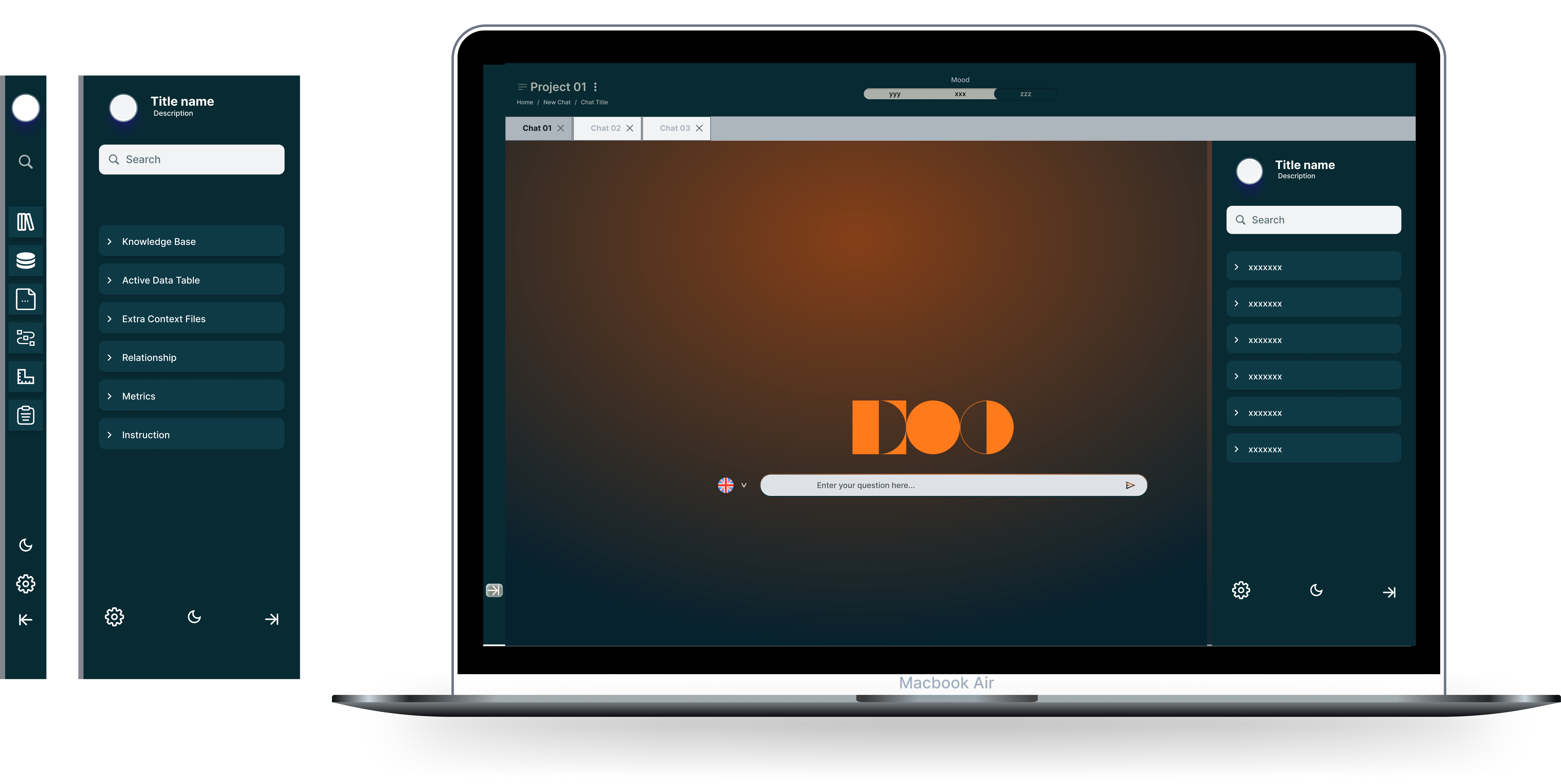
This project focuses on the control layer of an AI workspace. The conversation stays at the center, while the surrounding system needs to stay clear, expandable, and easy to navigate.
I shaped the interaction structure and visual logic for this sidebar improvement, defining how the workspace should respond as users move between focus and exploration.
The sidebar works as the control layer of the chat interface. It expands when users need orientation and collapses when they need a focused conversation space.
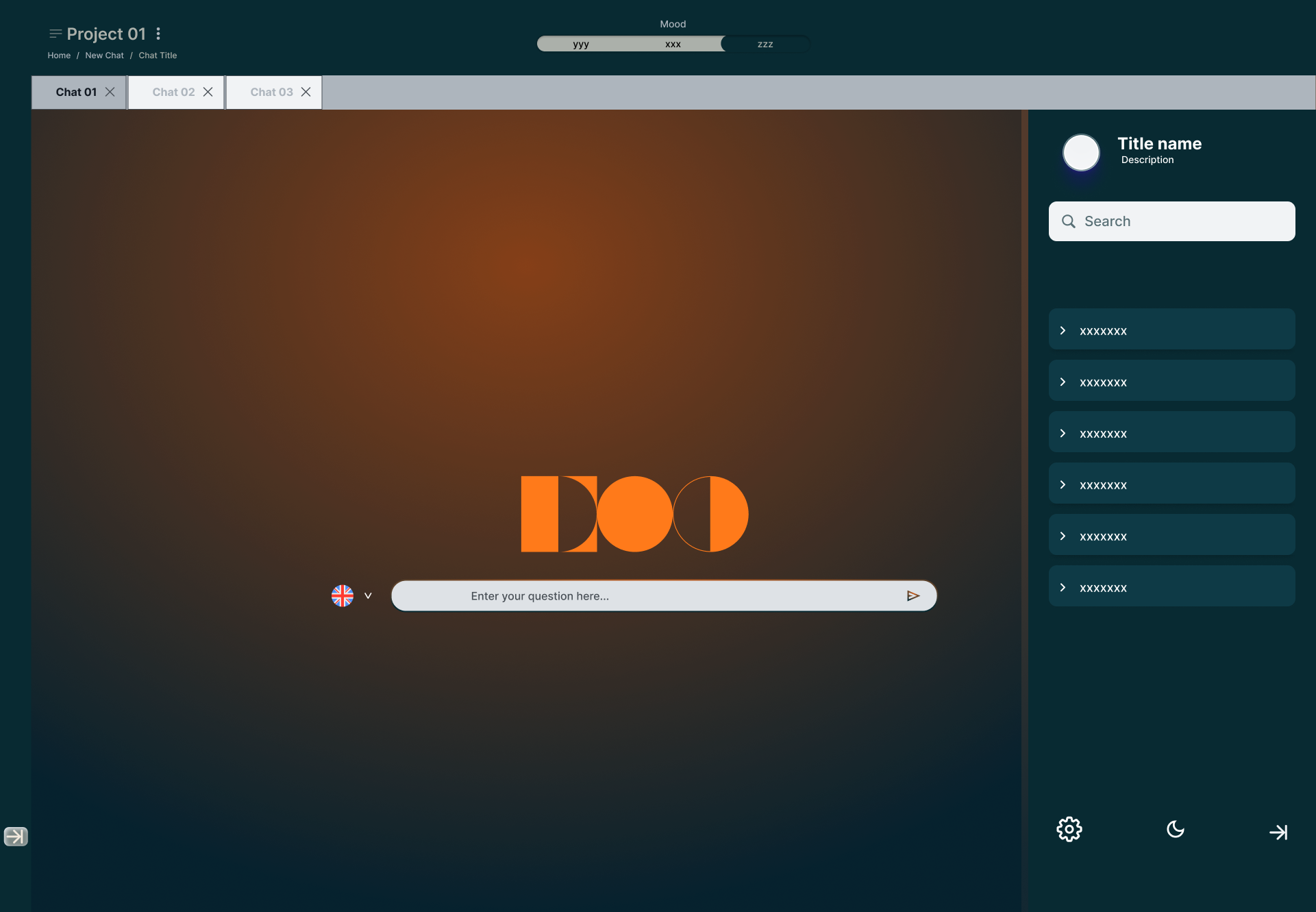
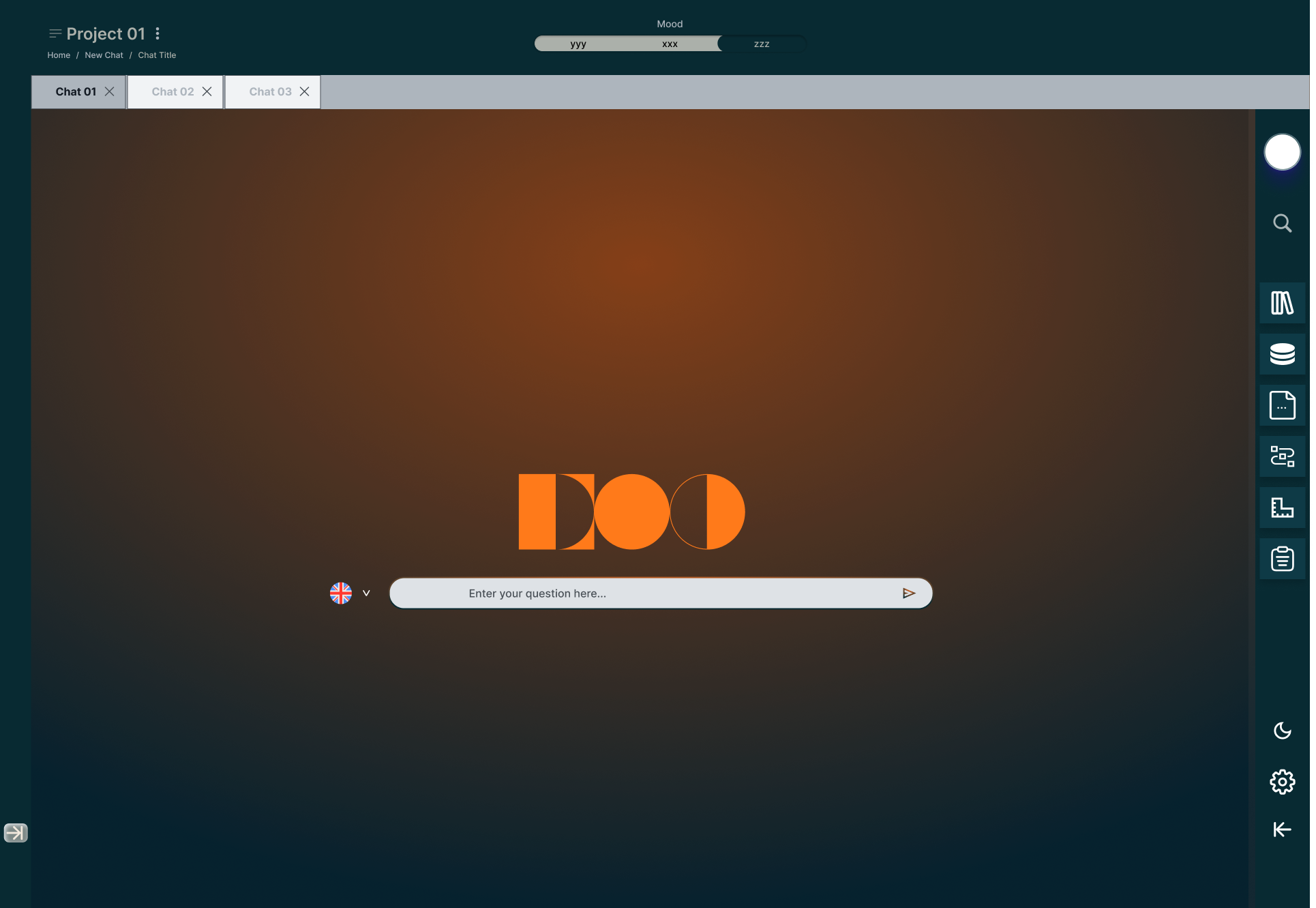
I designed the sidebar as a switch between two clear modes: explore and focus. That gave users control without crowding the conversation area.
The sidebar adapts through layout behavior instead of adding more screens. It becomes a flexible control surface, while the conversation remains the primary workspace.
The two sidebar states support two different needs: expanded for explore — more navigation and context — and collapsed for focus — less interface around the conversation. Controls stay available in both, without another screen or a different workspace layout.
Final Solution
The workspace has two sidebar states: expand when people need orientation, collapse when the conversation needs more room.
Controls stay available in both modes, so switching focus does not mean learning a different layout.
Outcome
Expanded, the sidebar supports orientation; collapsed, it reduces surrounding interface so the conversation stays primary — with room to add more workspace controls later without changing that pattern.
Reviews
Worked with me or explored the site? I’d love to know what stood out.
Loading reviews…
Reviews are temporarily unavailable.
Be the first to leave a review.
What stood out, and what would you approach differently?