CASE STUDY

CRM Redesign

A CRM redesign focused on navigation depth, table actions, and predictable panel behavior.

RoleProduct Designer
FocusEnterprise Product UX
ToolsFigma
Project visual coming soon

Project Context

A powerful CRM with fragmented interaction patterns

CRM Redesign handled important operational workflows, but users were navigating inconsistent patterns between dashboards, sidebars, tables, and detail panels. The redesign focused on making daily work more predictable.

The final interface keeps dense workflows manageable by improving hierarchy, reducing UI noise, and standardizing behavior across modules.

The UX Challenge

Reduce cognitive load in dense enterprise screens

  • Clarify CRM navigation across modules and task depth
  • Improve table readability and action discoverability
  • Make drawer and sidebar behavior consistent
  • Polish the dashboard without reducing information density
  • Align reusable design patterns with engineering constraints

My Role

My Role

  • Redesigned high-frequency CRM flows
  • Defined behavior rules for tables, drawers, and sidebars
  • Aligned design decisions with development constraints

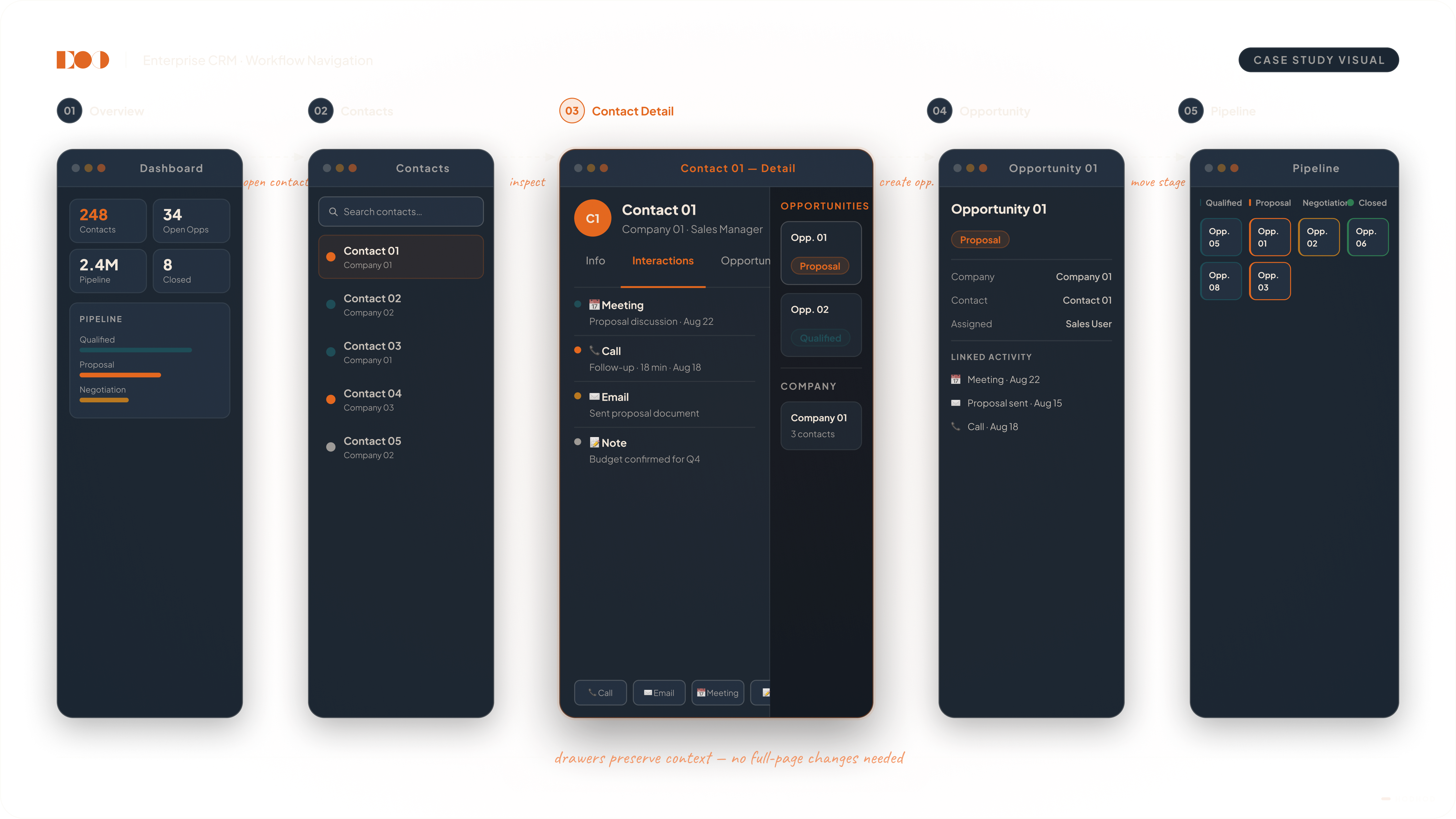
Interaction Model / Core Flow

From overview to detail without losing context

1. Dashboard orientation

Status indicators and priority views frame the user's next actions quickly.

2. Table-first operations

Data tables become the operational center, with clearer row actions and filters.

3. Contextual detail views

Drawers reveal detail and edit forms without forcing page-level navigation.

4. Sidebar continuity

Module navigation remains stable so users stay oriented in long sessions.

5. Decision checkpoints

Critical actions are separated from secondary actions to reduce mistakes.

Image placeholder — add CRM table, sidebar, and drawer states

Key UX Decisions

Focused changes with system-level impact

Navigation hierarchy

Defined a clear depth model from module to list to record detail.

Action zoning

Primary, secondary, and destructive actions are separated consistently.

Table language

Headers, spacing, and status chips were standardized for faster scanning.

Drawer logic

Side panels follow shared entry and exit behavior across all modules.

Delivery alignment

Patterns were documented in a way that engineering could implement directly.

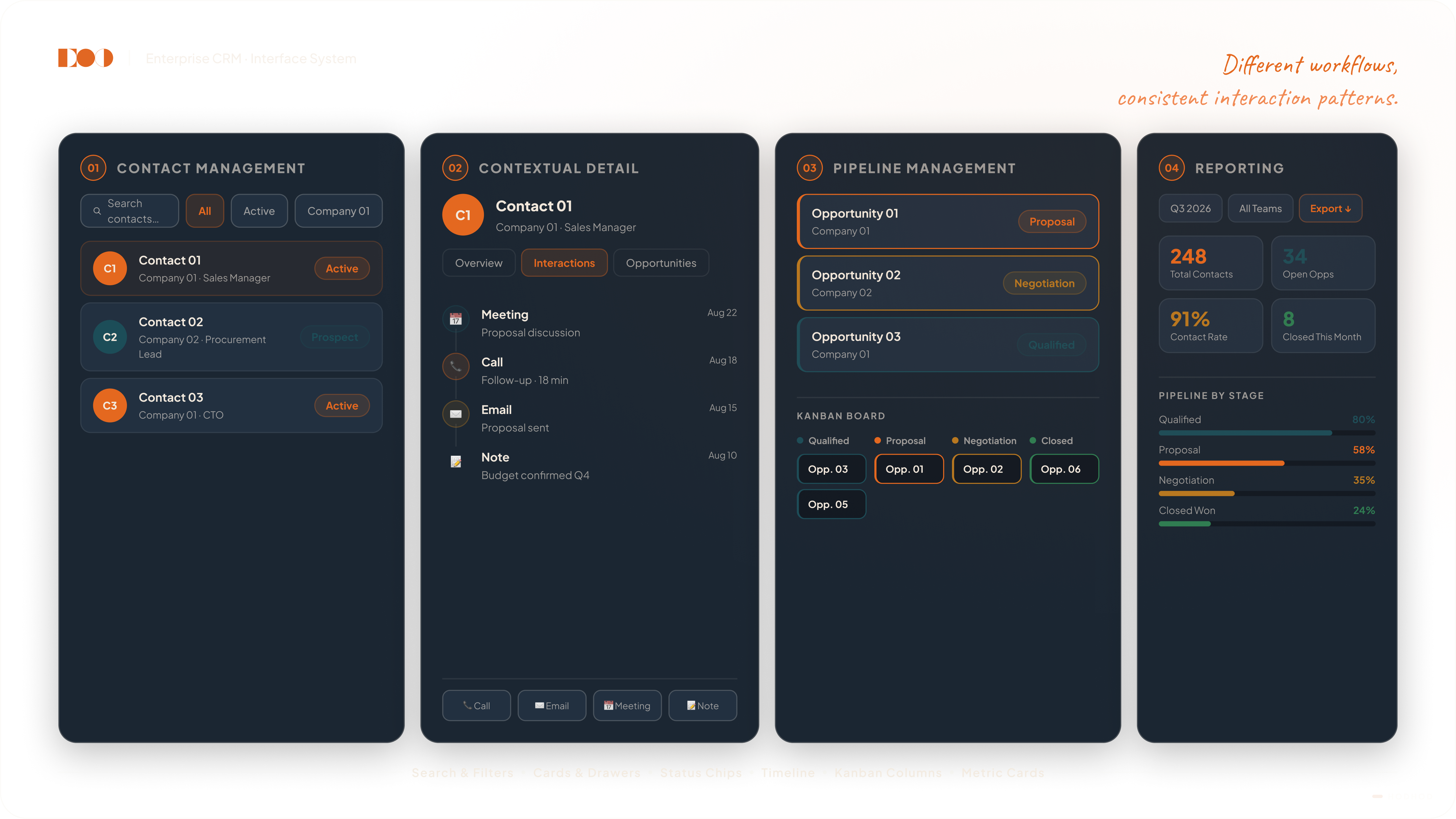
Design System / Interface Logic

A reusable enterprise interface language

  • Unified spacing and typography rules for dashboards and forms
  • Reusable table, filter, and status components across modules
  • Consistent hover and active states for control-heavy screens
  • Predictable empty, loading, and error-state treatment
  • Shared component logic reduced visual drift over time
Project visual coming soon
Focus area: enterprise usability and implementation clarity

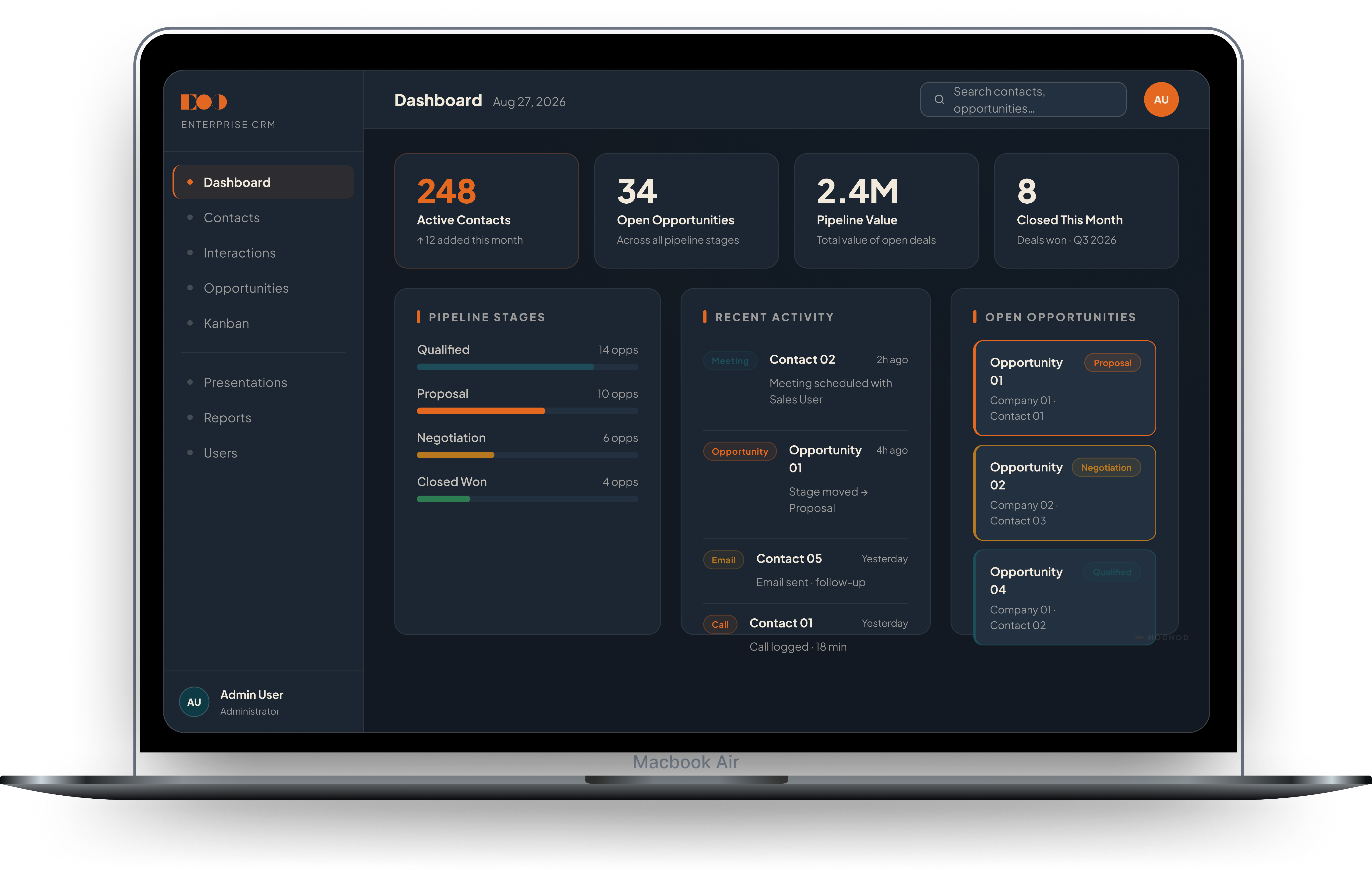
Final Solution

A more curated and reliable CRM experience

The final interface keeps dense workflows manageable by improving hierarchy, reducing UI friction, and making controls consistent across dashboard, table, and detail contexts.

Teams moved faster because navigation and action patterns became predictable across modules.

Outcome

Outcome

Daily tasks became easier to execute, and handoff improved because component behavior was defined once and reused consistently.